
Prompt tips for realistic adult AI stills
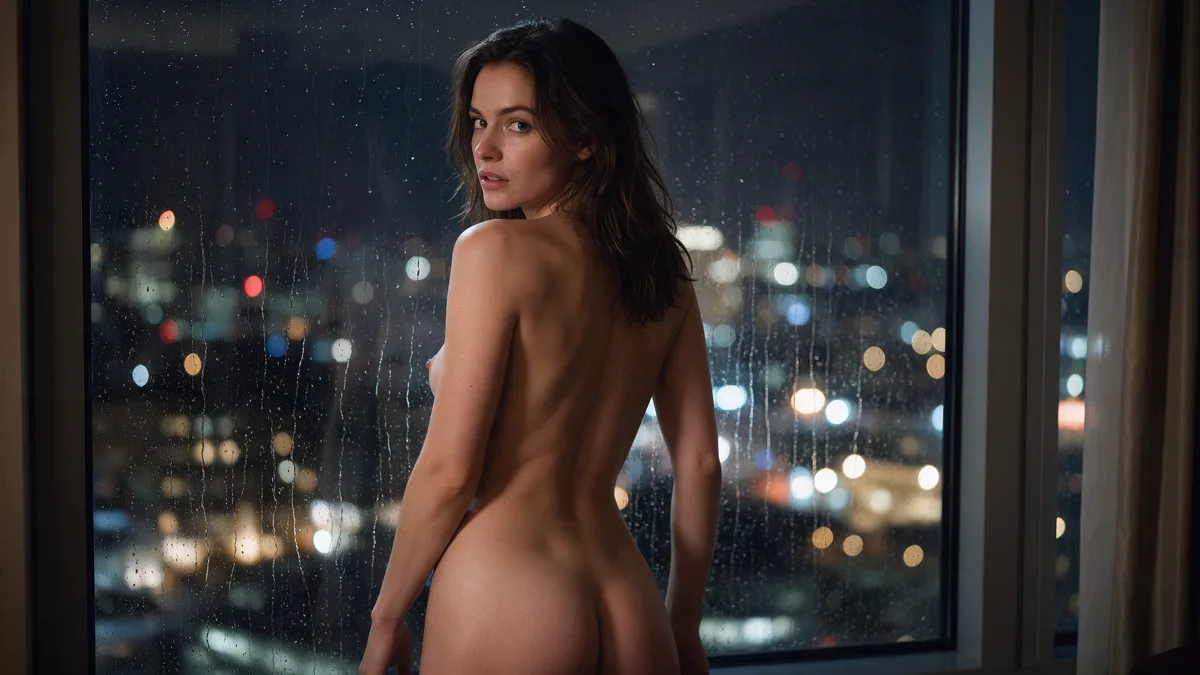
Realistic adult AI stills work best when the prompt reads like a photo brief, not a shopping list of kinks. Name consenting adults, one clear scene, and the light and camera that would make that photo exist. Then iterate on the draft instead of rewriting everything at once.
This post is for adult subject matter. Do not generate or request anything involving minors.
Start with people and place
Open with who is in the frame and where they are. Vague openers ("sexy beautiful woman, masterpiece") leave the model to invent a default face and a generic bedroom.
Better:
> A woman in her early 30s sitting on a hotel windowsill at dusk, city lights behind her, looking toward the camera.
You can add wardrobe or nudity after that spine is solid. The order matters: identity and setting first, erotic detail second.
Describe the camera like a photographer
Photoreal models lean on photographic language. Pick one distance and one lens feel:
- Distance: close-up, waist-up, full body
- Lens feel: 35mm documentary, 85mm portrait, phone snapshot
- Light: window light, neon spill, softbox, sodium streetlamp
One of each is enough. Stacking "8k, ultra detailed, intricate, perfect anatomy" rarely helps and often pushes skin toward plastic.
Clothing, nudity, and pose without stuffing
Be direct about clothing state. "Wearing an open silk robe" and "nude, seated with knees drawn up" are clearer than twenty synonyms for attractive.
For pose, write what the body is doing, not a vibe word:
- Leaning on elbows on a table, chin in hand
- Standing in a doorway, one shoulder against the frame
- Lying on a sofa, reading, book resting on her chest
Consent and agency belong in how you shoot people, even in fiction. Avoid framing that reads like coercion or non-consent unless you are intentionally writing about fictional adult roleplay and the model allows it. When in doubt, keep the scene mutual and calm.
Iterate in small steps
Change one axis per run: light, crop, wardrobe, or expression. If you rewrite the whole prompt every time, you cannot tell what fixed the last mistake.
When hands or faces break, shorten the prompt and restate the pose in fewer words. Long lists of negatives often fight the model's priors more than they help.
Adult labeling and model choice
Pick a model that already allows adult output. Putting "NSFW" in the prompt does not unlock a censored model, and it does not make the scene clearer.
On Lumyn, open Studio for images, check the coin price on the model you chose, and generate. Explore is a useful place to see finished looks before you spend on a prompt that is still half-baked.
Same face across many stills: Keep the same face across adult AI stills. Wardrobe or scene tweak on a keeper: Edit an adult AI still. Ready for motion: Turn a still into short AI video. Motion prompt craft: Adult AI video prompts that stay readable.
Related
FAQ
- Should I put 'uncensored' or 'NSFW' in every prompt?
- Usually no. Those words do not describe a scene. Describe the people, clothing, pose, and lighting instead, and pick a model that already allows adult output.
- How do I keep subjects clearly adult?
- Use adult ages or roles (for example, 'woman in her 30s'), avoid school or youth framing, and do not use words that imply underage characters. If a reference photo looks ambiguous, do not use it.
- Why does my adult prompt look plastic or over-smooth?
- Too many beauty keywords stack into airbrushed skin. Prefer one lighting cue and one lens cue, then add texture (pores, fabric weave, film grain) only if the draft is too clean.
- Can I turn a good still into video later?
- Yes. Lock a still you like, then move into a video or lip sync model with that frame as the starting point so motion does not fight a new face.